

Спонсоры
Нет данных для отображения
Спонсоры
Больше
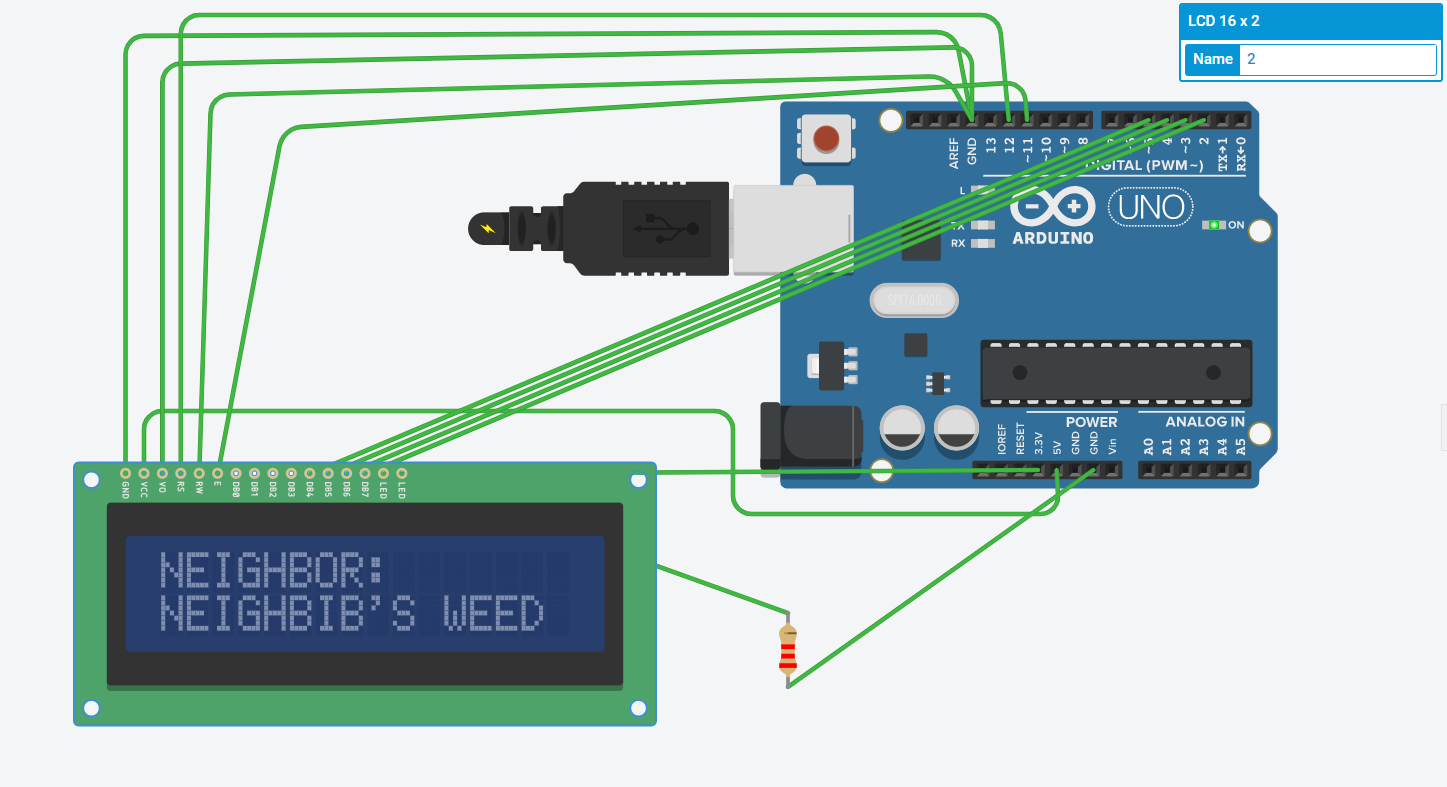
The Arduino board is Connected to PC/LAPTOP USB Port Here's a diagram of the pin connections LCD GND = GND Arduino LCD VCC = 5V Arduino LCD V0 = GND Arduino LCD RS = 12 Arduino LCD RW = GND Arduino LCD E = 11 Arduino LCD D4 = 5 Arduino LCD D5 = 4 Arduino LCD D6 = 3 Arduino LCD D7 = 2 Arduino for the C++ ino file (Arduino Ends) i'll include it in mod menu zip file The LCD Cathode...
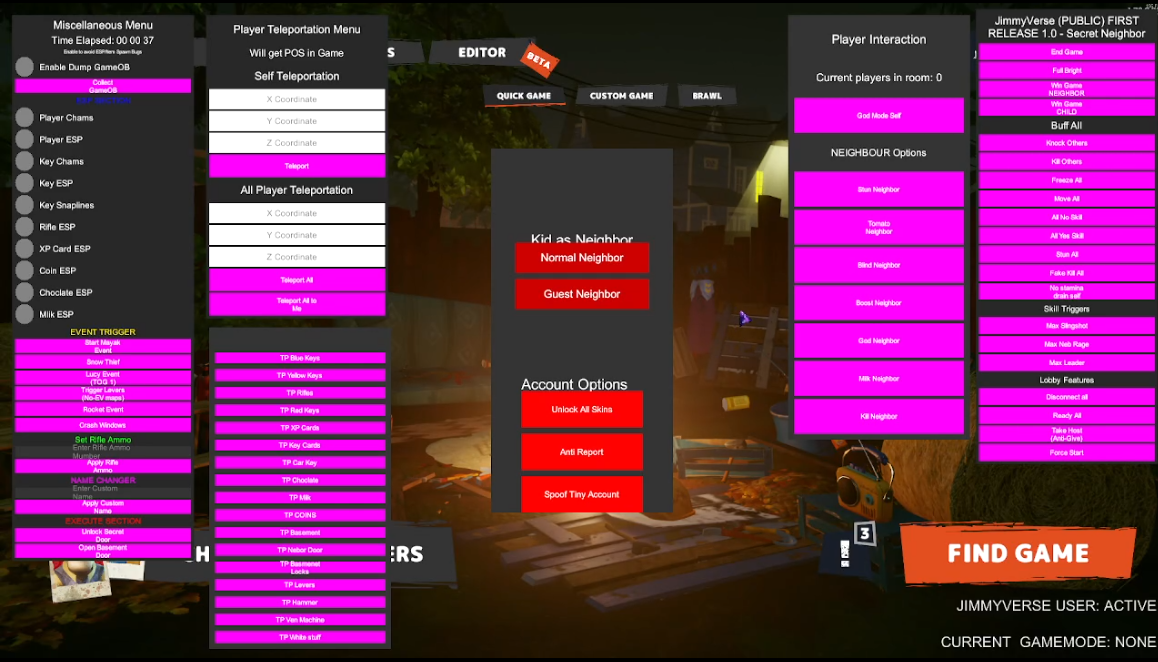
The best Lightweight client for the game secret neighbor. With all nesesities that all cheaters desire - https://discord.gg/dB4cxXmRFU - 15$ for All (For Member of SNMCC FREE) THREE MENUS ALL IN ONE CLIENT FPS Booster and Anti-Ban Low Input-delay DM @jimmygonsen to apply for SNMCC (MUST BE A C# modder)
Devour Mod Menu will help you to be a good player in playing Devour you will be play like a quiet kid in yo school quite kid style randomly glitched uh uh idk yep um maybe skibidi bop bop yes yes HOW TO INSTALL Download the rar file Copy all of the file inside the rar to your Devour game files in SteamLibrary\steamapps\common\Devour\ Launch/Run Devour Through Steam greeny play button...

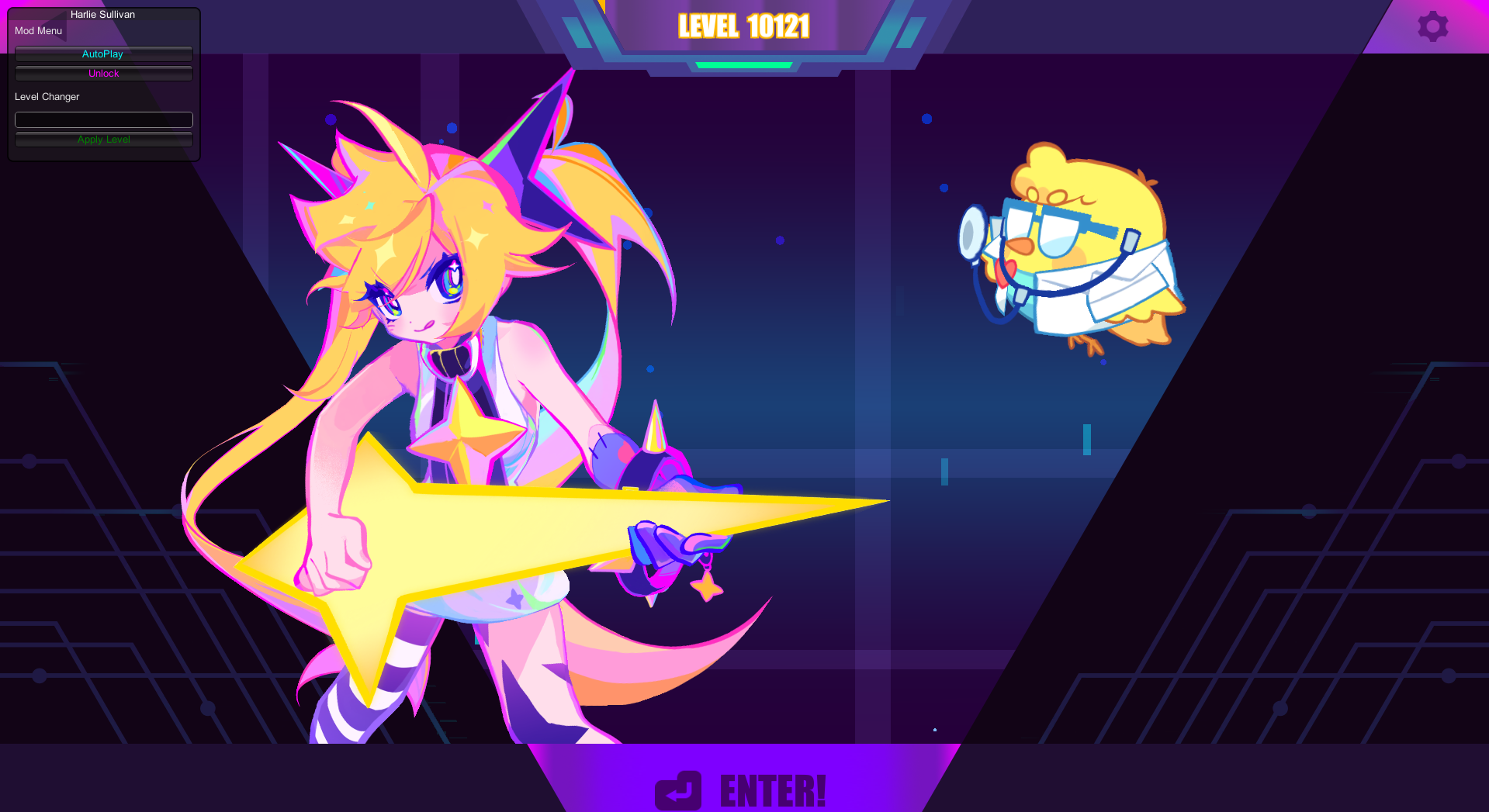
don’t have enough money to purchase the DLC?, still noob? don’t worry this mod menu will totally help your problem but if you have money better go purchase the DLC to support the devs Here’s the mod menu features Unlock All Levels & All Character without purchasing the DLC Unlock All Difficulties Auto Play Mode Level Changer if you’re interested contact me...
First of all you will need a software called AssetsBundleExtractor if you already have it let's start Open UABE (Unity Assets Bundle Extractor) Find Monobehaviour Network (Only SN Alpha v0.9.5.1 and newer Alpha Versions) it should look like this and now click Export Dump and click yes if it's asking "Dump Export" Additional MonoBehaviour type information can possibly be retrieved...